How to Increase WhatsApp Business Conversions: Automation in 2026

Anúncios
How to increase WhatsApp Business conversions with automation and fast customer service in 2026: implement personalized flows and recovery triggers, cut response times with SLAs and human handover, integrate your CRM and payments, and optimize using metrics and A/B tests.
How to Increase WhatsApp Business Conversions With Automation and Fast Customer Service in 2026 is the question many entrepreneurs ask when selling through the app. Have you thought about cutting response times and closing more customers with simple flows and practical tests? We’ll show you actionable tactics you can test right away.
Anúncios
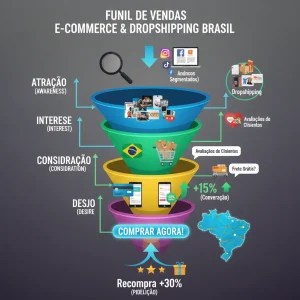
Mapping Your WhatsApp Funnel: Identifying Drop-Off Points
Funnel mapping on WhatsApp helps you find where leads stop moving forward and why that lowers your conversions. With simple steps, you can spot patterns and act fast.
Identifying the main drop-off points makes decisions more objective: which messages fail, when the customer disappears and which stage needs automation.
Anúncios
How to Map Your WhatsApp Funnel Stages
Define clear stages: discovery, qualification, negotiation and closing. Tag conversations as they progress.
Record the lead source, the first message and the customer’s reply. This shows where most losses happen.
Essential Data to Identify Drop-Off Points
Monitor simple, visual metrics that point to immediate drop-off.
- Open rate: how many messages were read after being sent.
- Response time: how long it takes you to reply; delays cost you sales.
- Abandonment rate: the percentage who don’t reply after X interactions.
- CTA clicks: how many people click links or buttons to move forward.
Aggregate this data by campaign and by template. Compare days and times to find practical patterns.
Quick Strategies to Reduce Drop-Off Points
Prioritize instant replies at critical moments. Combine automation with a human touch where it matters.
- Use automated messages to confirm receipt and offer a clear next step.
- Test different openers to see which gets the fastest reply.
- Segmentation: send different flows to cold and warm leads.
- Simplify the path to purchase: fewer clicks, a direct CTA.
By alternating between automation and human service, you keep speed without losing personalization. Adjust templates based on real user behavior.
Create weekly data review routines and fine-tune automatic triggers that recover at-risk leads.
Funnel mapping done well reveals small tweaks that greatly boost your conversion rates. Constantly identify, test and optimize your drop-off points to see fast results.
Smart Automation: Messages, Flows and Triggers That Convert
Smart automation on WhatsApp Business turns slow replies into clear actions and increases your conversions. Messages designed for each stage drive more engagement.
In this section you’ll see how to create messages, build flows and set up practical triggers that nudge the customer toward a purchase.
Light Personalization in Messages
Use simple data, like the customer’s name and product of interest, to personalize without losing scale. Small details build trust.
Keep the copy direct, with a clear offer or next step. Avoid long messages that tire the reader.
Logical Flows and Actionable Triggers
Design short paths: welcome, clarification, offer and close. Fire triggers when the user doesn’t reply or clicks the link.
- Automatic welcome: confirms the sign-up and offers immediate help within seconds.
- Recovery: a trigger after X hours without a reply, with an offer or social proof.
- Lost interest: a follow-up with a benefit and a direct CTA.
- Human handover: transfer the conversation when the lead shows purchase intent.
Test different timings for each trigger: 10 minutes, 1 hour, 24 hours. Small variations can have a big impact on response rates.
Combine quick-reply buttons and trackable links to make action easy. Messages with a direct CTA get more clicks and a better chance of converting.
Don’t rely on automation alone: create points for human intervention where negotiation requires flexibility. This keeps the experience personal without losing speed.
Simple Metrics to Optimize
Monitor click-through rate, response rate and average time to first reply. These numbers show where to adjust messages and triggers.
- Response rate after first contact: evaluates the tone of the opening message.
- CTA click-through rate: shows whether the button or link is relevant.
- Time to handover: shows whether the bot is holding the customer too long.
Run short A/B tests with small variations: subject, CTA and follow-up timing. Quick results help you choose what converts best.
Smart automation done right prioritizes clarity, speed and context. Messages, flows and triggers aligned with the customer journey reduce friction and increase your close rates.
Fast, Human Customer Service: Scripts, SLAs and Personalization

Fast, human customer service reduces drop-offs and increases customer trust. Replying quickly without losing empathy makes a difference in your conversions.
Balancing scripts, SLAs and personalization keeps the flow agile and the experience close to the customer, even with automation running in the background.
Clear, Flexible Scripts
Create short scripts with goals: confirm interest, offer an option and close. Use ready-made variations so you don’t sound robotic.
Include alternatives that let the agent adapt the reply without straying from the standard tone.
Practical SLAs and Response Times
Set realistic SLAs for each stage: automatic confirmation, first human reply and follow-up. Transparency reduces frustration.
- Automatic reply: confirm receipt within seconds with a clear next step.
- First human reply: ideally within 10–60 minutes for qualified leads.
- Short follow-up: 1–24 hours depending on the level of interest.
- Escalation: immediate priority when the customer signals purchase intent.
Monitor SLA compliance and adjust staffing during peak hours. Tools that display average times help maintain consistency.
Use personalized messages with the customer’s name, a product reference and a quick conversation history. This makes contact more human without adding much handling time.
Human Intervention Points
Automate repetitive tasks and save agents for negotiation and complex questions. Knowing when to transfer is crucial.
- Transfer when the lead asks for a final price or wants to negotiate.
- Bring in a human at the first sign of customer frustration.
- Step in for personalized offers or discounts.
Train the team with real examples and support scripts, but encourage adaptations for unique cases. A well-guided agent solves more and converts better.
Fast, human customer service is about speed with purpose: clear SLAs, flexible scripts and personalization increase the close rate without sacrificing the customer experience.
Metrics and Testing: How to Measure and Optimize Conversion Rates
Metrics and tests show what works on WhatsApp Business. Measuring well helps you fix what’s holding back your conversion rates.
With simple data, you can decide quickly and increase the number of customers who complete a purchase.
Key Indicators to Track
Focus on a few numbers that reflect behavior and results. They guide practical action.
- Response rate: the percentage who reply after the first message.
- CTA click-through rate: clicks on links or buttons within the conversation.
- Time to reply: the average time between sending and the first human reply.
- Close rate: leads who become customers, by campaign.
Record these metrics by template, campaign and segment. That way you can spot patterns and weak points without overcomplicating things.
How to Set Up Quick A/B Tests
Test one variable at a time: subject, CTAs, timing or tone. Clear results come from small, measurable changes.
- Define a simple hypothesis: “message X gets more clicks than Y.”
- Split the audience into similar groups and send the variations.
- Keep the test short, with a large enough sample to see a difference.
- Analyze and roll out the winning version.
Prioritize high-impact tests: CTA variations, offer and send time. Avoid changing many elements at once.
Use tags to label each test and make comparison easier. Tools that export data speed up analysis.
Practical Criteria for Interpreting Results
Look at the trend, not just isolated numbers. A small, steady improvement tends to be worth more than temporary spikes.
Consider volume: low numbers can be misleading. Wait for minimum sample sizes before deciding to change everything.
- Practical significance: a difference that matters to the business, not just statistically.
- Consistency by day/time: check whether the gain holds at different times.
- Impact on closing: favor metrics tied to the final result.
Document each test and the lesson learned. This avoids repeating mistakes and speeds up future optimizations.
Metrics that are clear and tests that are simple create a continuous improvement cycle. Measure, test, adjust and repeat to improve your conversion rates on WhatsApp.
Integrations and Tools: CRM, Payments and Real-Time Reporting
Integrations between CRM, payment solutions and real-time reports connect data and speed up decisions. With the right connections, WhatsApp becomes a channel that closes more sales.
When every tool speaks the same language, you cut manual steps and improve the customer experience, directly impacting your conversions.
Choosing an Integrated CRM
Look for a CRM that automatically logs conversations, history and lead source. This avoids losing context along the journey.
- Automatic sync with WhatsApp Business to create contacts.
- Tags and pipelines visible to the team to prioritize leads.
- Integration with calendars and notes to track follow-ups.
- An open API or ready-made connectors to integrate payments and reporting.
A well-integrated CRM allows quick filtering by campaign, salesperson and purchase stage. This makes it easy to act immediately on hot leads.
Frictionless Integrated Payments
Offering payment options within the flow reduces abandonment. Payment links, buttons and QR codes keep the customer in the chat.
Prioritize popular methods like credit cards, instant payments, digital wallets and fast-checkout links, always with automatic confirmation in the CRM.
- Instant payment confirmation that updates the lead’s status.
- Receipt collection and automatic invoice delivery.
- Secure, compliant transactions to build trust.
Connecting payments to your CRM shortens the path to closing and eliminates manual reconciliation steps, speeding up cash flow.
Real-Time Reports and Alerts
Up-to-date reports show where leads get stuck and which campaigns convert best. Alerts prevent immediate losses.
- Dashboards with response rate, CTR and close rate by campaign.
- Alerts when a high-value lead engages or asks to be contacted.
- Hourly/daily reports to adjust send times and staffing.
- Automatic exports for analysis and quick meetings.
Real-time reports help you make tactical decisions, like adding agents during peak hours or activating one-off offers.
Use integrations via API, webhooks or automation platforms to connect your CRM, payments and reports. Flows that update the CRM after a payment or trigger alerts when a conversation reaches purchase intent are essential.
Test integrations in small cycles and document the triggers that work. Quick adjustments prevent failures that affect the end customer.
Integrations that are well designed — CRM, payment solutions and real-time reports — make the process faster and more predictable. Connect your tools, monitor the data and adjust flows to increase your conversions.
In conclusion: focus on funnel mapping, smart automation and fast, human customer service. Measure with metrics, run A/B tests and integrate your CRM and payments to reduce friction. Test small changes, adjust quickly and repeat to increase your conversions.
FAQ – How to Increase WhatsApp Business Conversions
How do I start mapping my WhatsApp funnel?
Identify clear stages (discovery, qualification, negotiation, closing), tag conversations and record sources and replies to see where leads drop off.
How do I use automation without sounding robotic?
Create short automated messages for initial replies and triggers, but set handover points to a human agent for negotiations or complex questions.
Which metrics should I track first?
Prioritize response rate, CTA click-through rate, time to first reply and close rate by campaign; these show performance and where to adjust flows.
How do I integrate payments and my CRM without friction?
Use connectors or APIs that automatically update the CRM when payments are confirmed, offer checkout directly in the chat (links/QR codes/digital wallets) and set up alerts for the sales team.